Machine
Which machine or cell is affected?
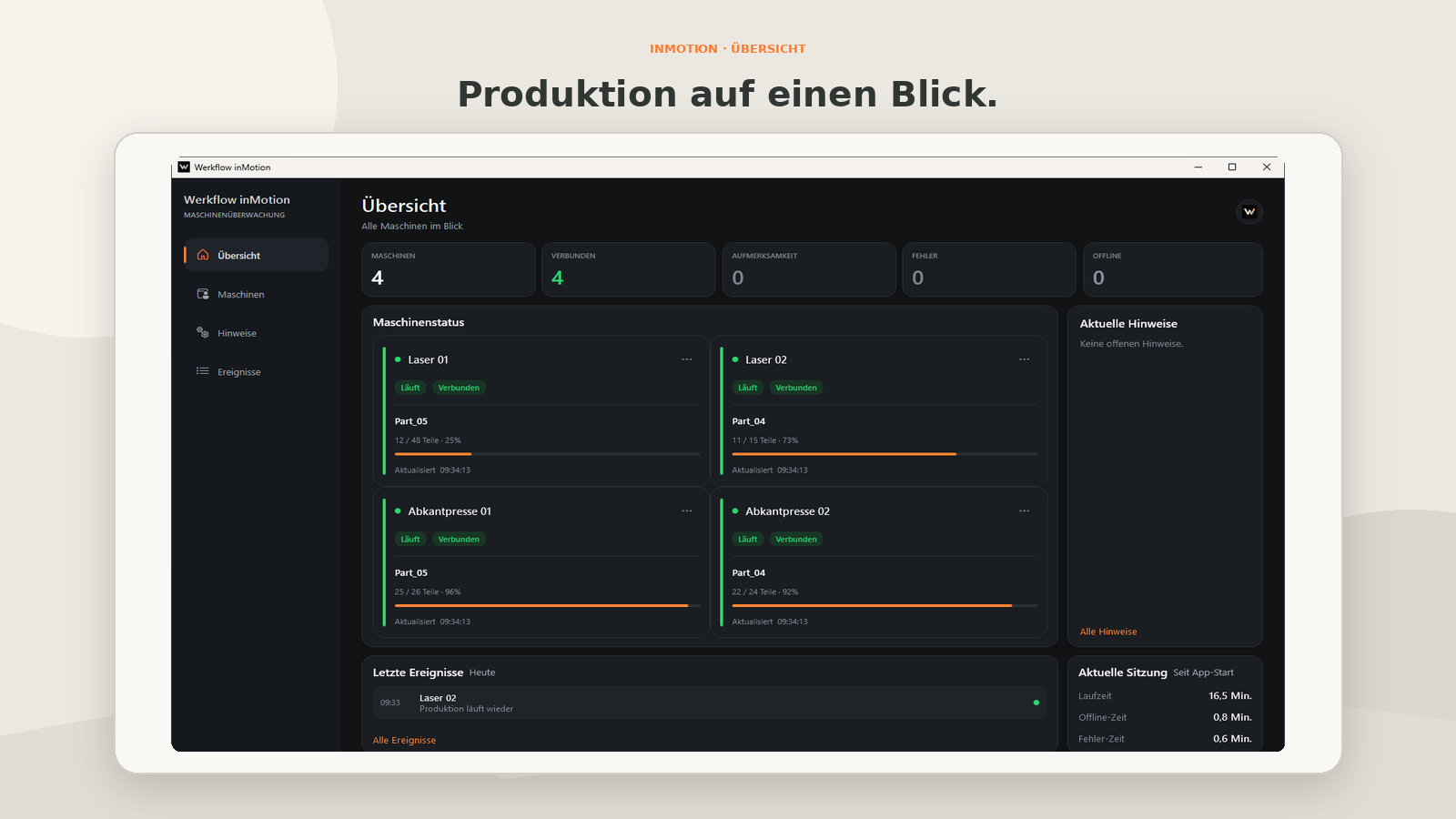
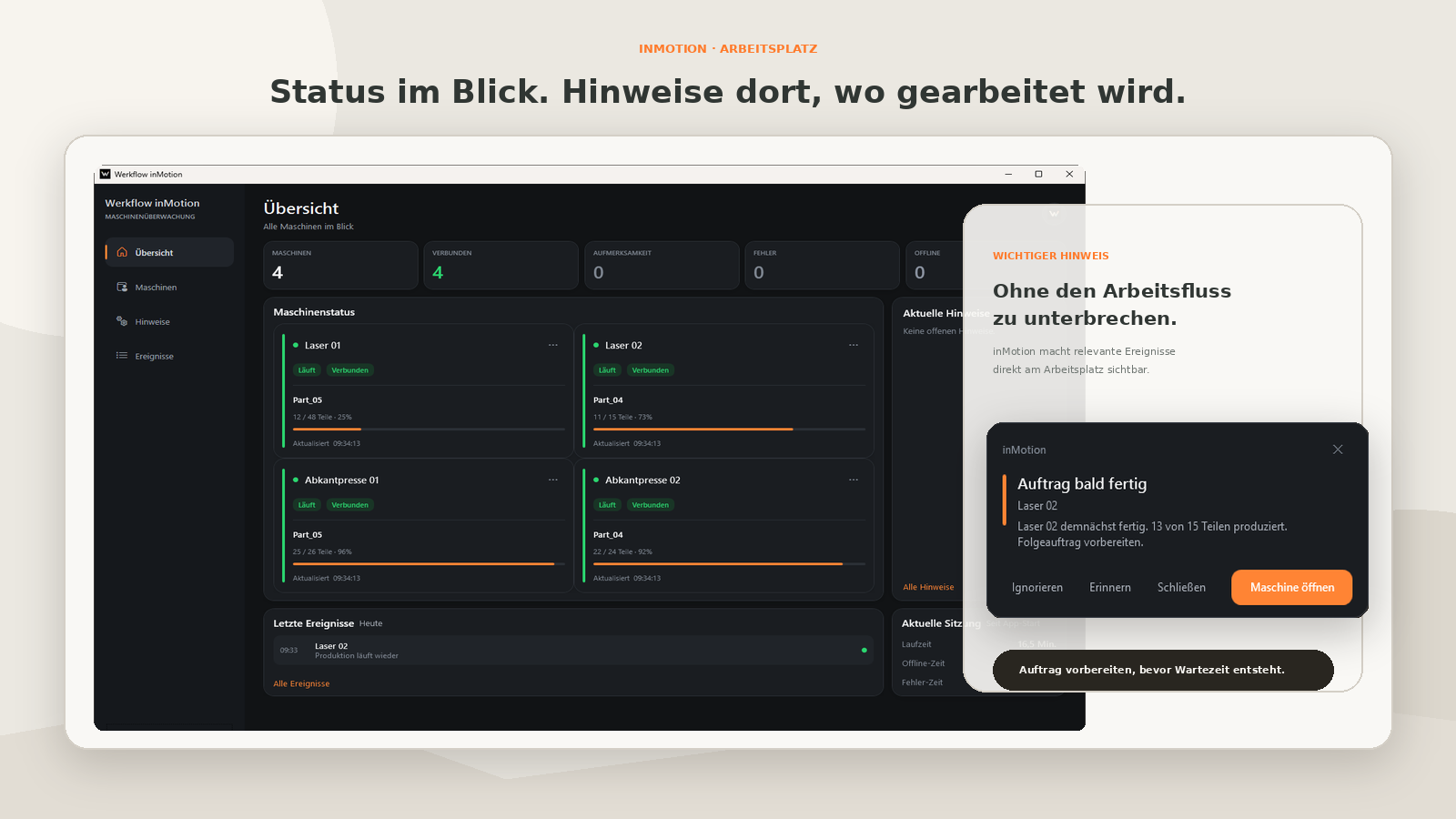
inMotion is the Windows interface for clear machine notifications: dashboard, notifications and pop-ups – lean, understandable and prepared for suitable test environments.
Note: inMotion and VIGIL are under development. Test and preview versions are not intended for production-critical processes and do not replace review by qualified personnel, manufacturer specifications, or company safety and maintenance processes.
Machine cards, status and progress – deliberately lean. Not a replacement for an MES, but a clear view of events and status at the workstation.
inMotion does not show a complete production analysis; instead, it focuses on understandable notifications at the workstation. The user sees which machine is affected, what notification is present, how relevant it is, and when it was detected.
Which machine or cell is affected?
What was detected or should be reviewed?
Is the notification informative, unusual, or critical?
When was the notification triggered?
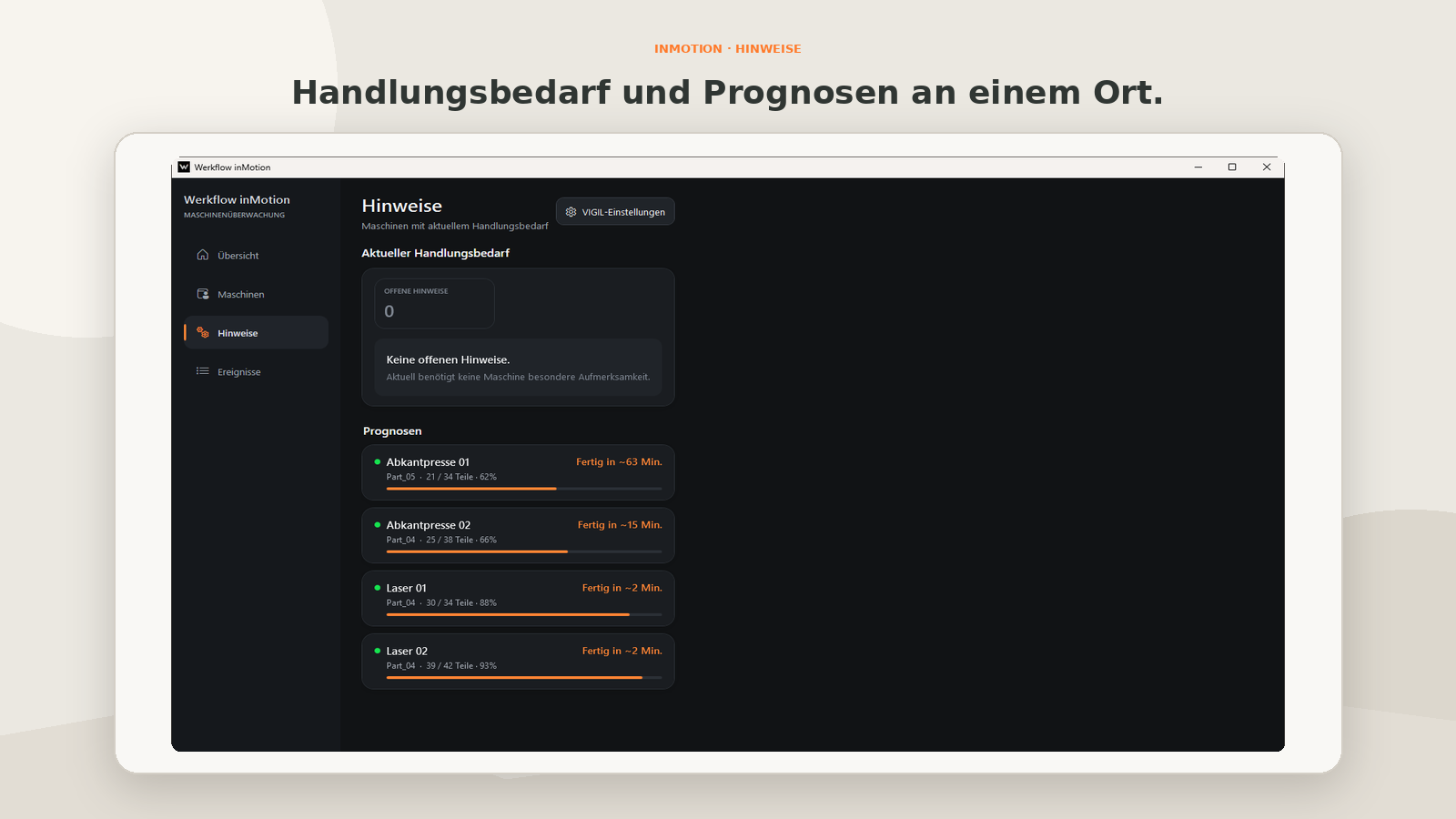
Order almost complete, anomaly, error, or no progress – inMotion can report in a prioritized and understandable way when a review may be useful. Notifications do not replace review by qualified personnel.
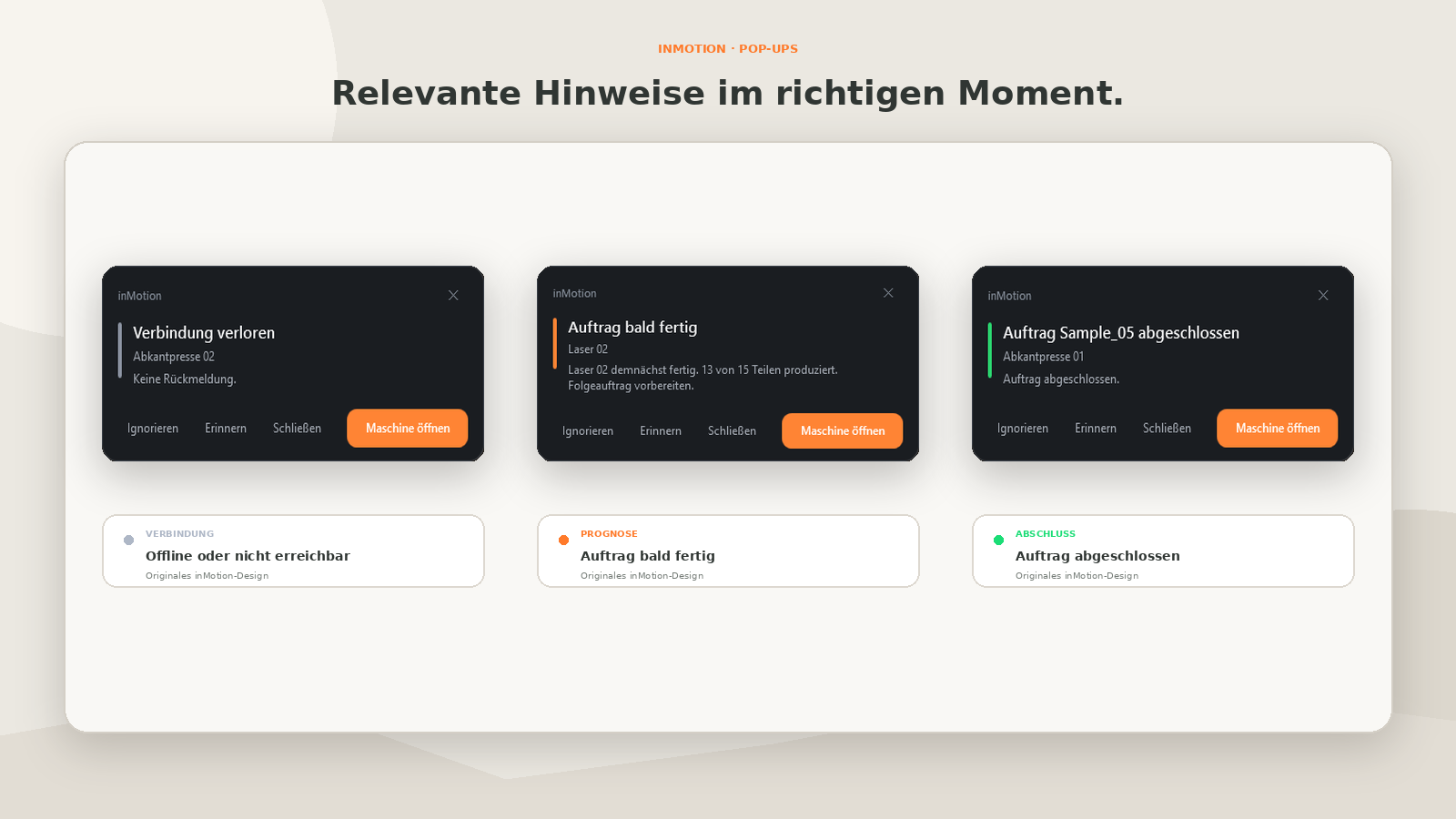
Hints, pop-ups and dashboard – how inMotion makes events visible at the workstation.
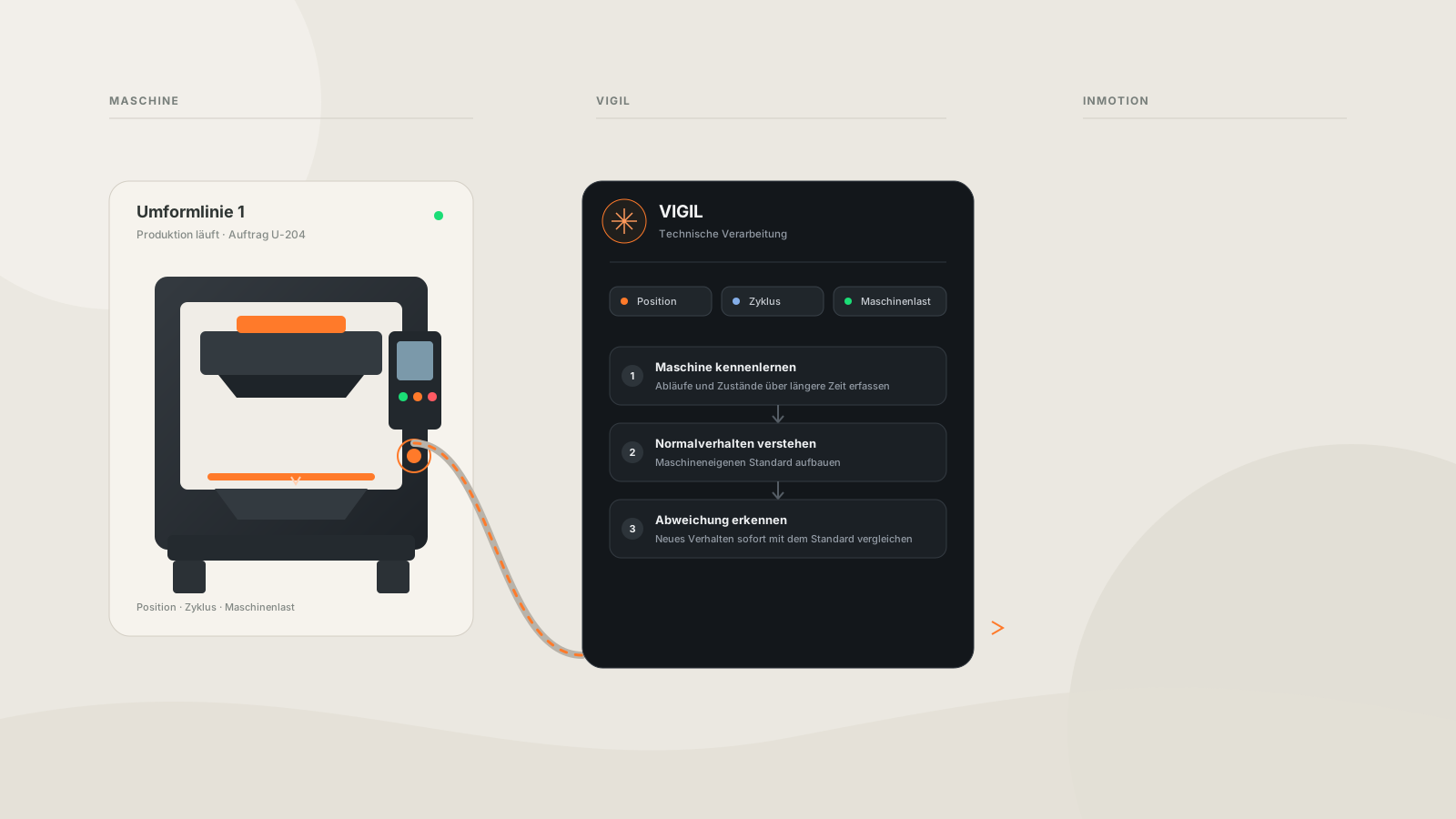
Connectivity via OPC-UA is planned as the starting point. Which signals are available and how the setup will look in detail is being validated with test customers and real machine information.
inMotion is the interface – VIGIL ONE is the Cognitive Engine that, with a growing data basis, is designed to assess signals and derive notifications. Both can start together locally on your machine.
Werkflow is not a classic MES, not a replacement for machine controllers, and not a safety system. The focus is on clear machine notifications, better assessment, and a simple presentation at the workstation.
For test partnership and Early Access – without any purchase commitment, with a focus on practical feedback.